2014年5月23日星期五

Project Week 4

Hue/Saturation enables me to adjust the hue, saturation, and lightness of a specific range of colors in an image or simultaneously adjust all the colors in an image.


Besides the hue and saturation, there are other ways to adjust the overall color tone, such as Brightness/Contrast, Levels and Color Balance. The Brightness/Contrast command is easy to use and can be used to adjust the overall brightness and contrast of my image. The Levels are a more sophisticated way of adjusting the brightness and contrast, a histogram graph reflects the light and dark pixels of my image, by moving around the sliders I can determine where the lightest and darkest points of my image are.


Project Week 3

My game is First-person perspective shooter game. The player experiences the action from the back of dragon. The dragon can shoot from a wide range and fly all over the scene. However, I would like the player to enjoy the game art meanwhile, therefore, I would give player a significantly long reaction time and there would not be any enemies to fight back against the player. 


Despite my game is a combination of art game and shooting game rather than a pure first person-shooting game, there are many shooting games could be good inspiration for the style and level design such as Call on Duty and Battlefield. Even thought the art style of these games are different from mine, but they provide me good examples for the design of game terrain.


Project Week 2

Week 2

Hangzhou is the capital of Zhejiang province, the city have been given the name Heaven on Earth for its natural beauty and abundant cultural heritages.

The West Lake is the most natural beauty of the city. Solitary Hill, the Tomb of General Yue Fei, the Six Harmonies Pagoda and the Ling Yin Temple are most famous attractions of the West Lake. The broken bridge is the most elegant and romantic site in West Lake area.


Since my scene is based on Chinese architecture style in east part of China, the reference of West Lake would be a very useful source of inspiration for my terrain design. 


2014年5月22日星期四

Project Week1

Importance of color palette

Color palette is used widely across many game designs.

Traditional color palettes usually consist of five colors within a specific scheme, but this is more of a guideline than a rule. In game design, color palettes can consist of any number of colors as long as possible if they follow my preset rules.

It's obvious that not all color schemes are going to look visually appealing with every single game's theme. A color scheme should be used to strengthen the mood I try to convey. All colors on a computer can be defined by three numbers: hue, saturation and brightness.


As my game tries to mimic realistic world in China, I must apply some dark colors to emulate the wall and river. 


2014年3月14日星期五

project week 10

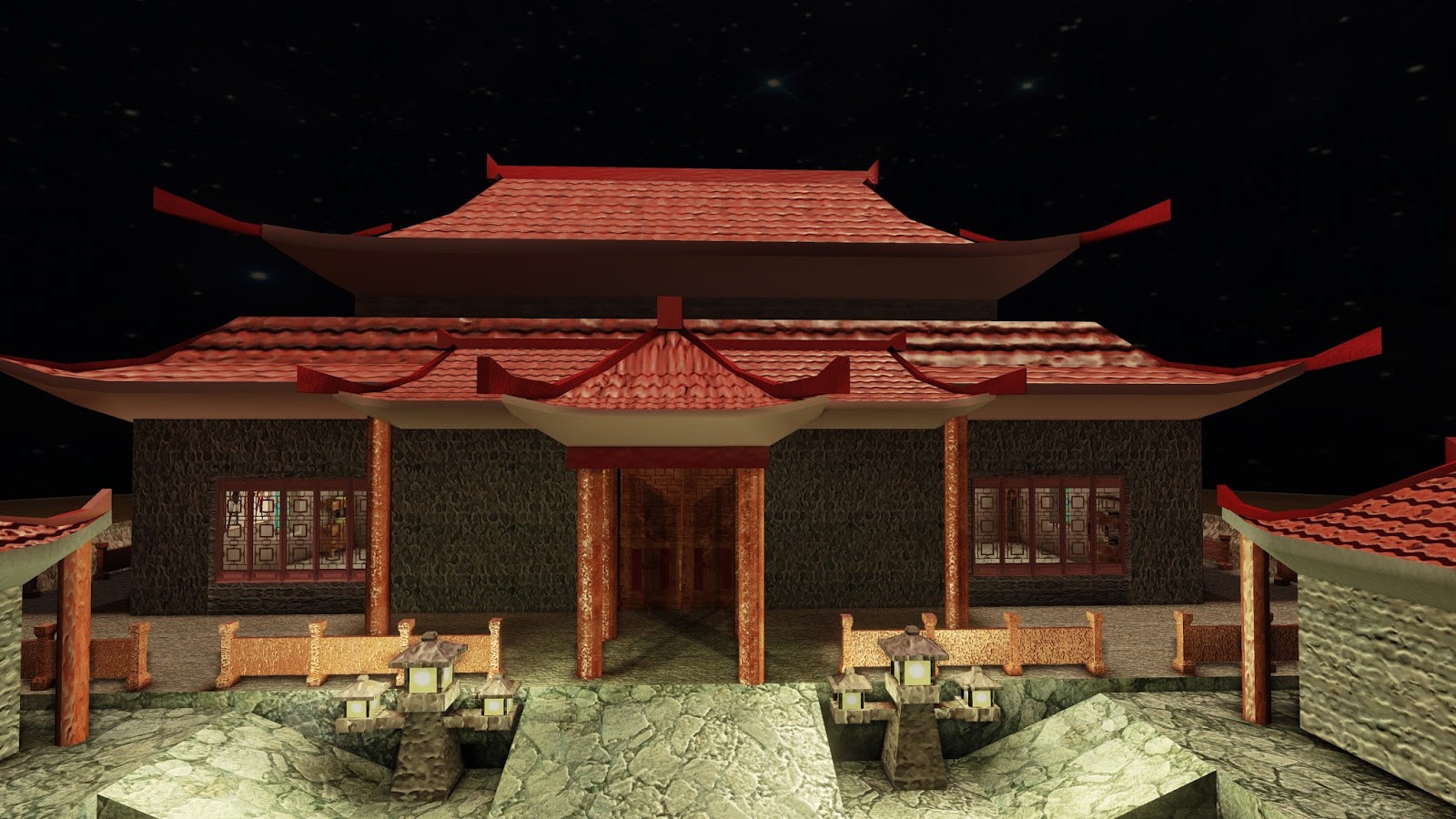
Finally, I have got the most part of the leve design and I feel tired after over night. I have finished 90% of the texture but I did not set the lighting because I want to use emissive light in the dark instead of sun light, so I put the lighting to next quarter. I think I need to create my own material for the water and also I need to refine the terrain by adding some vegetation and rocks.

I have gained many experience for level design in this quater and I am looking forward to learning more about 3d character design next quarter.


project week 9

This week I was working on another level design piece. I have tried to use emissive light for night environment. Emissive light is an additional color source that is added in the final light of an object. This is only because when we want a object simulating and giving off its own light, just add emission light to get an effect on object in a scene. The effect of emissive light is pretty good, I enojoy it more than sun light.


project week 8

This week I was working on UDK of those static meshes. I have figured out how to reduce poly counts to avoid lagging.

I want to import well polished models and use a varriety of different meshes, however, it has caused a little bit lagging. Therefore, I try to replace some of the different meshes with ones I use more frequently in the level. It might not look as nice, but I can use normal map and specular map to make it look different. 


Normal maps allows me to keep my file size within my budget, while still being able to have assets that look like complex 3D models with the kind of detail I want.Using normal maps can save me a lot of time as well. With CrazyBump I can actually adjust  normals to show more or less detail from the reference image.